 lightlyn
Transparent PNG
A real alpha channel, not a checkerboard drawn into the picture. Drop the subject onto slides, designs, stickers or a website in any color.
Get a transparent PNG with clean edges, a clean white background, or a whole new scene. Your subject keeps its shape, colors and printed text. Want it a little different? Say what to adjust and keep going.
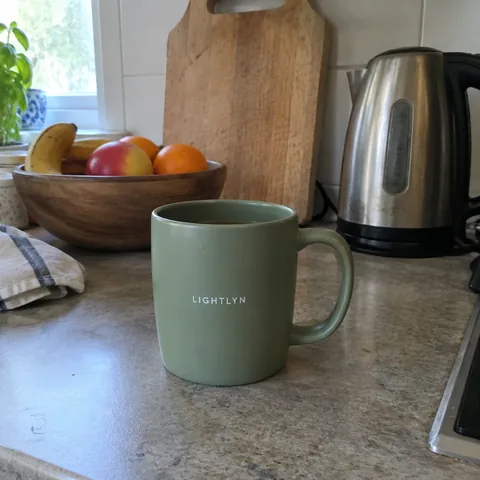
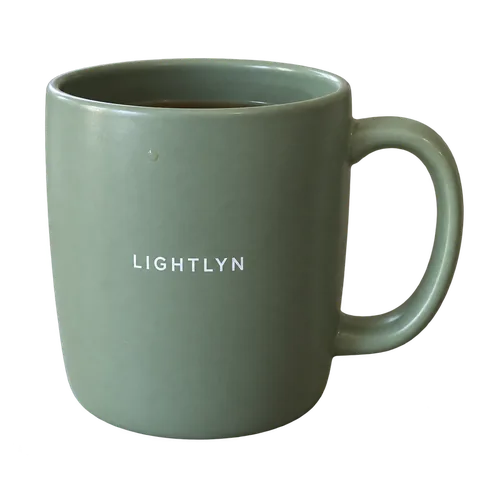
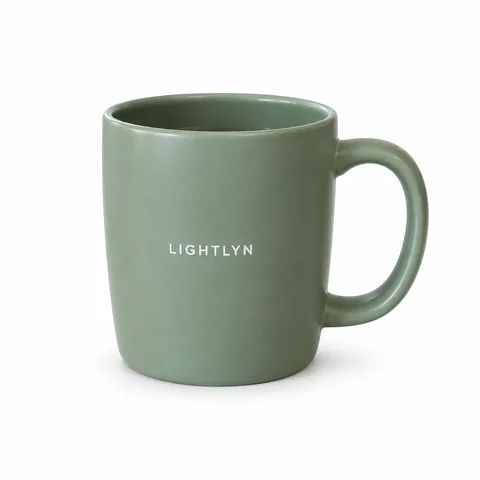
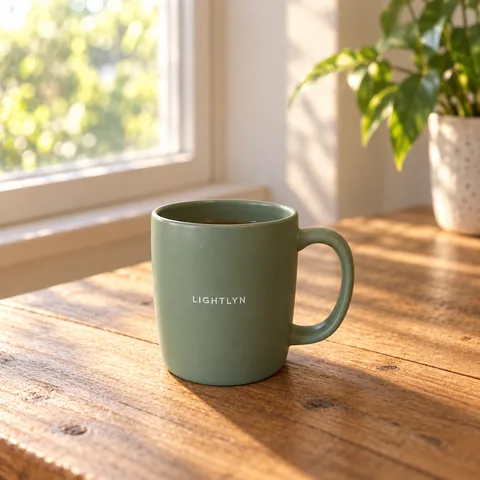
Real results from Lightlyn Images (GPT Image 2.5 Sunburst), not retouched. The sample photo was made for this demo.
A real alpha channel, not a checkerboard drawn into the picture. Drop the subject onto slides, designs, stickers or a website in any color.
A clean white background for store listings and catalogs. The shadow keeps the product grounded; ask for none if your marketplace wants it bare.
A kitchen counter, a beach at dusk, a holiday table. The lighting on your subject is matched to the new scene, so it doesn’t look pasted in.
Choose a background above and add a photo. The studio opens with your photo attached and the prompt written for you.
Edit the prompt if you like, pick a size up to 4K, then send. Nothing is made, and no credits are used, until you do.
“Make the shadow softer.” “Move the mug to the left.” Each edit builds on the last result, and every version stays in your private library.
GPT Image 2.5 separates your subject and renders it at full quality while keeping its shape, colors, labels and fine details. In the examples above the LIGHTLYN print and the handle come through in all three versions. Give very small print a quick look before printing; if anything is off, say so and it is corrected from the last result.
Look at a transparent result on both a dark and a light background. If you see a light fringe, ask for “clean edges, no halo” in the next message. White areas inside the subject, like a white logo, are worth a second look too.
The largest size is 3840 pixels on the long side. At 300 PPI that prints about 32 cm (12.8 in) wide; at 150 PPI, about 65 cm. Leave room around the subject if you need a margin.
Each image costs 1–4 credits depending on the resolution you choose, and failed generations are refunded. See current pricing. Only upload photos you have the right to use.
New accounts get 30 free credits1 and 3 more with each daily check-in. An image costs 1–4 credits depending on resolution, so you can try several backgrounds before deciding whether to buy more.
Yes, keeping it intact is the first thing the prompt asks for: shape, colors, printed text and details carry over, as in the mug above. Give fine print a quick look before you print; if something moved, say what to fix and the next image starts from the last result.
You get the full-resolution PNG, up to 3840 pixels on the long side, with labels and text kept crisp, and you can go further in the same place: a white studio background, a new scene, or any edit by chat. It takes a sign-up and credits, and new accounts start with 30 free ones1.
Yes. Choose “Transparent PNG” and the studio asks the model for real transparency. You download the original PNG with its alpha channel from the conversation or your library.
Choose “White, soft shadow” for a clean white background. The model’s white can land a shade off pure #FFFFFF (our sample above measures 253–254 out of 255), so if your marketplace checks for exact #FFFFFF, brighten the background before uploading. Other rules, such as how much of the frame the product fills or no shadow at all, can go in the prompt.
Not yet. Work on one photo at a time; you can keep using the same conversation for the next one.
Only you. Uploads and results are kept in your private library and are not used to train models. See our Privacy Policy.
Pick a background, add a photo, and see the result in the studio. Comparing models? See Flare vs Sunburst.
Choose a backgroundGPT Image 2.5 is a model by OpenAI. Lightlyn is an independent product, not affiliated with or endorsed by OpenAI.