 lightlyn
Choose Flare when…
- You are making something new: a photo, a poster, a product shot, an illustration.
- The text is short: a title, a label, a claim or two.
- You want many quick rounds.
- You need 4K and time matters.
Same prompts, one run each, nothing retouched. Eight tests, from a simple photo to a scientific diagram, plus a background removal, a photo edit and 4K.
New images from a prompt. Faster in every test, just as accurate with short text.
Editing your photos and rule-heavy layouts. Changes only what you ask for.
Same price for both models. New accounts get 30 free credits1.
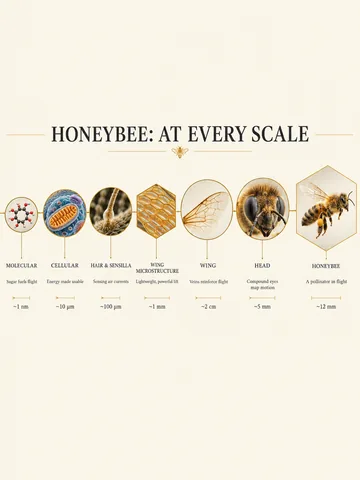
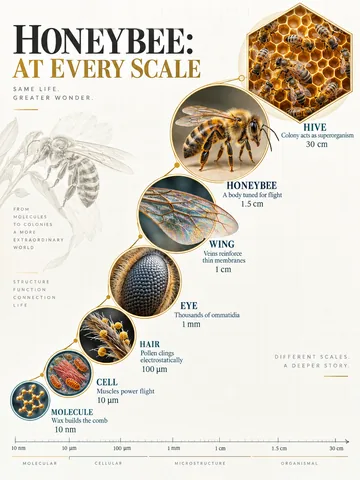
Test 5, the hardest: a honeybee from molecule to hive. Not retouched.
Times include the network, so yours will differ. Flare was faster in every pair.
| Test | Flare | Sunburst | What we saw |
|---|---|---|---|
| 1 · Realistic photoA short, simple prompt | 10.1 s | 14.8 s | Both convincing, different taste. |
| 2 · Event posterA title and a subtitle | 25.3 s | 43.6 s | Every word right in both. |
| 3 · Product adBrand name and two claims | 17.5 s | 20.4 s | Text exact in both. A tie. |
| 4 · InfographicFive steps, numbered arrows | 23.5 s | 40.5 s | Both correct; Sunburst closer to the layout. |
| 5 · Scale diagramSeven levels, many rules | 22.8 s | 46.5 s | Sunburst, clearly. Flare’s sizes were out of order. |
| 6 · Remove a backgroundYour photo to a transparent PNG | 19.2 s | 35.5 s | Bottle and label kept exactly in both. A tie. |
| 7 · Change one thingYour photo, sofa only | 17.8 s | 28.4 s | Sunburst: the rest of the room stayed put. |
| 8 · 4K illustration3840 × 2160 pixels | 34.6 s | 58.0 s | Real 4K detail in both. |
One subject, a mood, a camera style.
Verdict: both pass as real photos. Pick by taste; Flare gets there sooner.
Try the photo template with Flare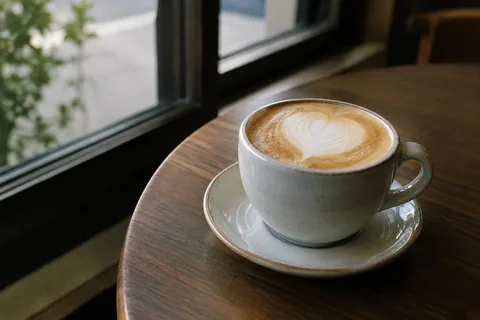
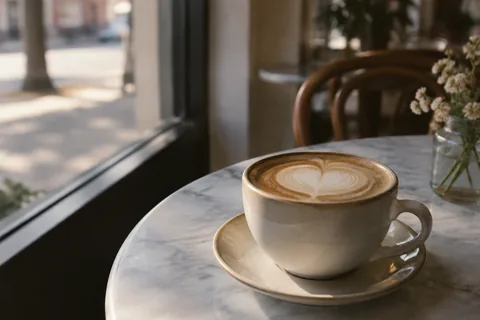
Subject: a ceramic cup of latte with simple heart latte art, set in a quiet neighborhood café by the window.
Photography style: 35mm, shallow depth of field, documentary style.
Lighting: natural light, mood: calm, early morning.
Detail requirements: ceramic glaze, milk foam texture, slight film grain.
Output: A highly realistic photographic image.
A title, plus a subtitle with a time and a place.
Verdict: every word right in both. Sunburst added a Chinese “noodles” sign you didn’t ask for, so proofread before printing.
Try the poster template with Flare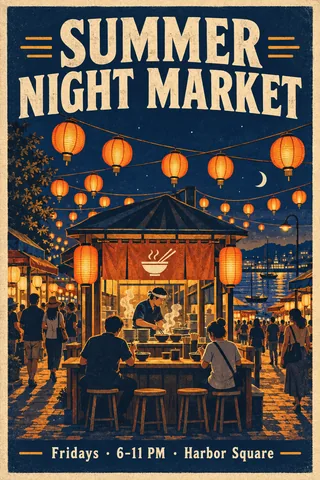
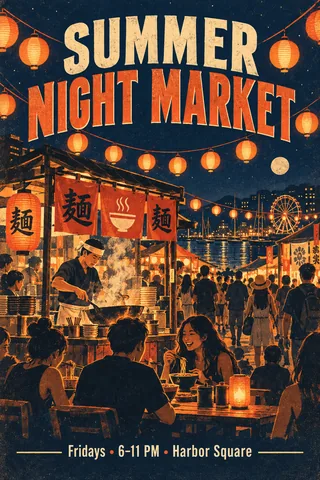
Design an event poster themed around a summer night market, paper lanterns and street food.
Main visual: strings of glowing paper lanterns over a busy noodle stall, title copy: "SUMMER NIGHT MARKET", subtitle: "Fridays · 6–11 PM · Harbor Square".
Layout: centered composition, style: vintage.
Colors: deep navy + warm orange, mood: lively, nostalgic.
Output: A high-resolution poster suitable for social media.
The brand on the case, two selling points with icons.
Verdict: a tie, every word exact. For your own product, start from a photo of it: see product photos.
Try the product template with Flare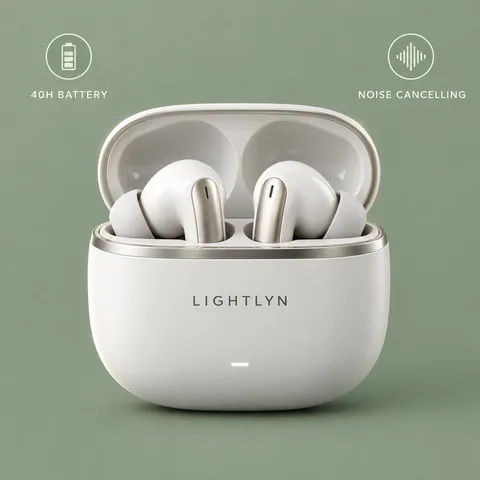
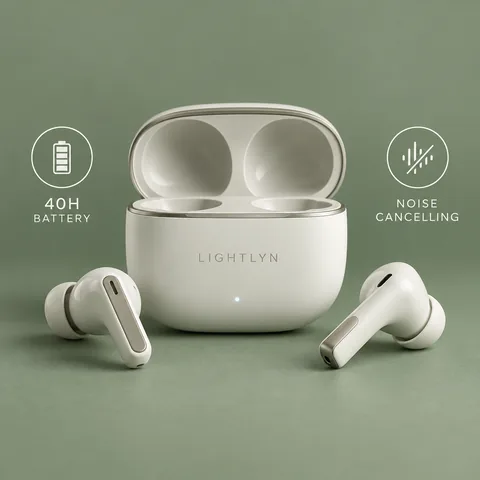
Generate a LIGHTLYN wireless earbuds e-commerce hero image, featuring a 40-hour battery and active noise cancelling.
Scene: studio shot on a solid sage-green background, shot: close-up.
Material details: matte white ceramic finish, brushed metal accents, lighting: rim lighting.
Additional elements: two selling-point icons with the copy "40H BATTERY" and "NOISE CANCELLING", and the word "LIGHTLYN" on the charging case.
Output: A product display image ready for direct use on e-commerce platforms.
Five modules with icons and headings, joined by numbered arrows.
Verdict: every step and number right in both. Sunburst followed the layout more closely; both added a line or two of their own.
Try the infographic template with Sunburst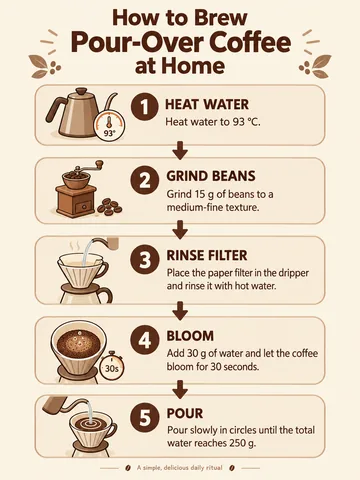
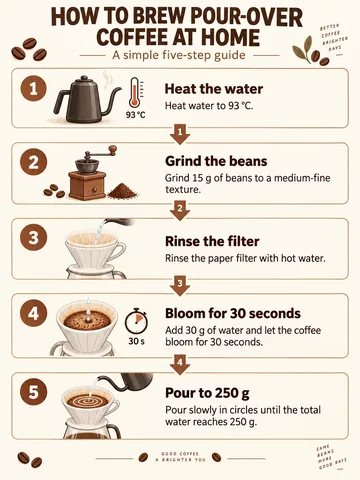
Generate a "How to brew pour-over coffee at home" infographic for the target audience coffee beginners in their 20s and 30s.
Structure: title area + 5 modules (each module contains an icon, a short heading, and 1–2 sentences of explanation; show the information flow between modules with numbered arrows).
Modules: 1 Heat water to 93 °C; 2 Grind 15 g of beans medium-fine; 3 Rinse the paper filter; 4 Bloom with 30 g of water for 30 seconds; 5 Pour slowly to 250 g in circles.
Chart type: Flowchart.
Style: Educational illustration, primary color warm brown, background light color.
Output: an English-language infographic with a clear information hierarchy and high readability.
Six to eight levels, frames of different sizes, a list of don’ts.
Verdict: Sunburst, clearly: sizes in order, frames sized as asked. Flare drew the wing bigger than the whole bee. When it must be correct, the extra 24 seconds pay off.
Try the scale template with SunburstGenerate a scientific scale-zoom infographic for the honeybee. Structure: 6–8 circular or hexagonal frames arranged in a progression of scales from microscopic to macroscopic. Each frame contains: a scale name, an insight of 3–5 words, a unit of measurement or magnification, and a highly detailed 3D rendering at that scale. Connect the scales with thin lines and avoid repeating levels. Use the title "HONEYBEE: AT EVERY SCALE". Style: scientific editorial infographic, precise macro lighting, clear hierarchy, short, readable text. Constraints: no generic magnifying-glass icons, do not depict all scales at the same size, and do not cram in long paragraphs of body text.
A desk snapshot to a transparent PNG.
Verdict: a tie. Shape, dropper and label kept letter for letter, real transparency, clean edges. Both centered and enlarged the bottle; say so if position matters. Flare took half the time.
Remove a background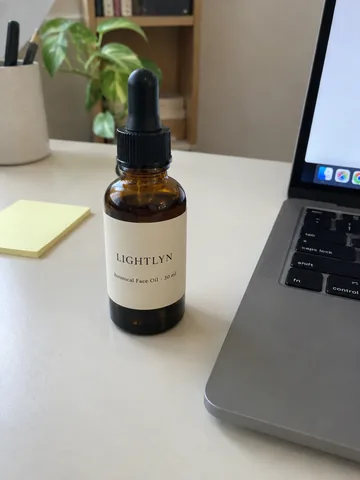
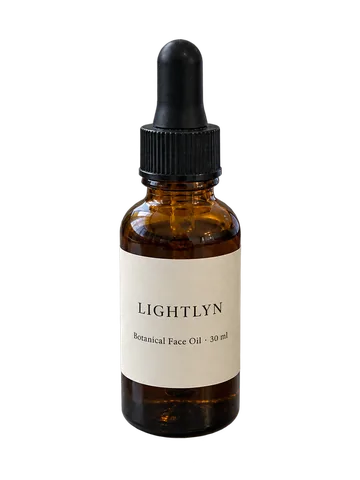
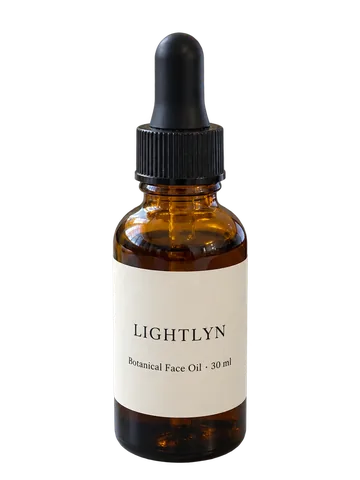
Remove the background and keep only the main subject. Keep the subject exactly as it is: same shape, proportions, colors, printed text and details. Clean edges with no halo, shadow or leftover background.
Recolor the sofa, nothing else.
Verdict: Sunburst. Both sofas look right, but only Sunburst left the rest of the photo untouched, which matters when you edit again and again.
Edit a photo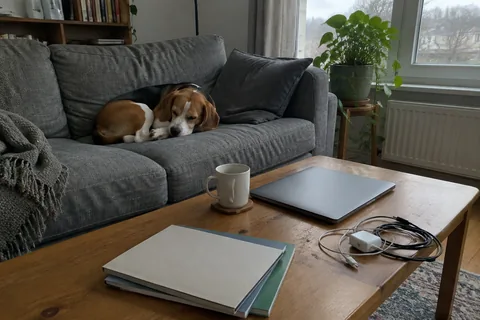
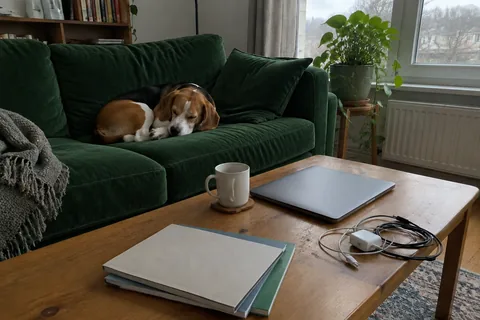
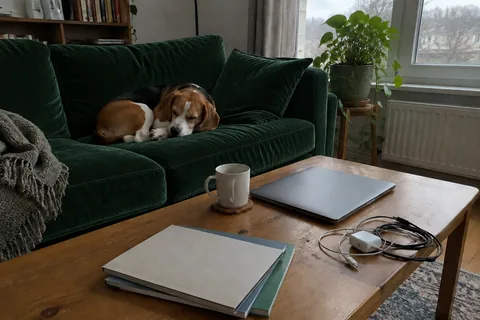
What changedBlack is unchanged; the brighter, the more it moved.
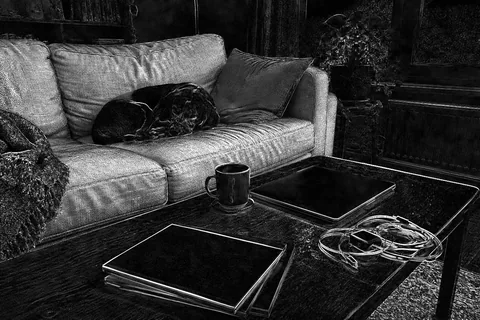
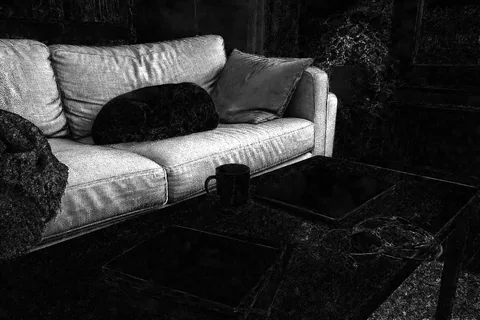
Change only the sofa to dark green velvet. Keep everything else in the photo unchanged.
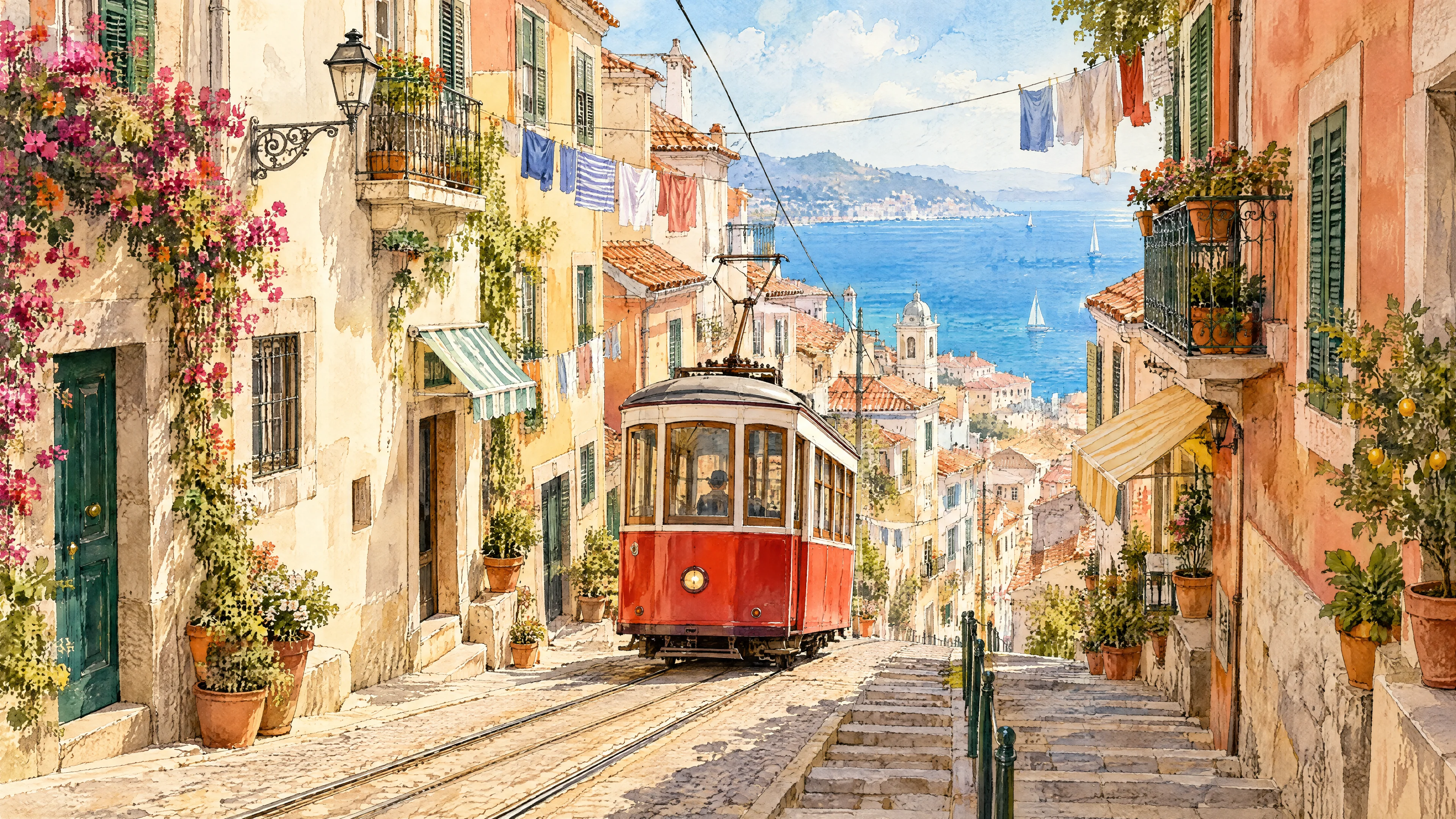
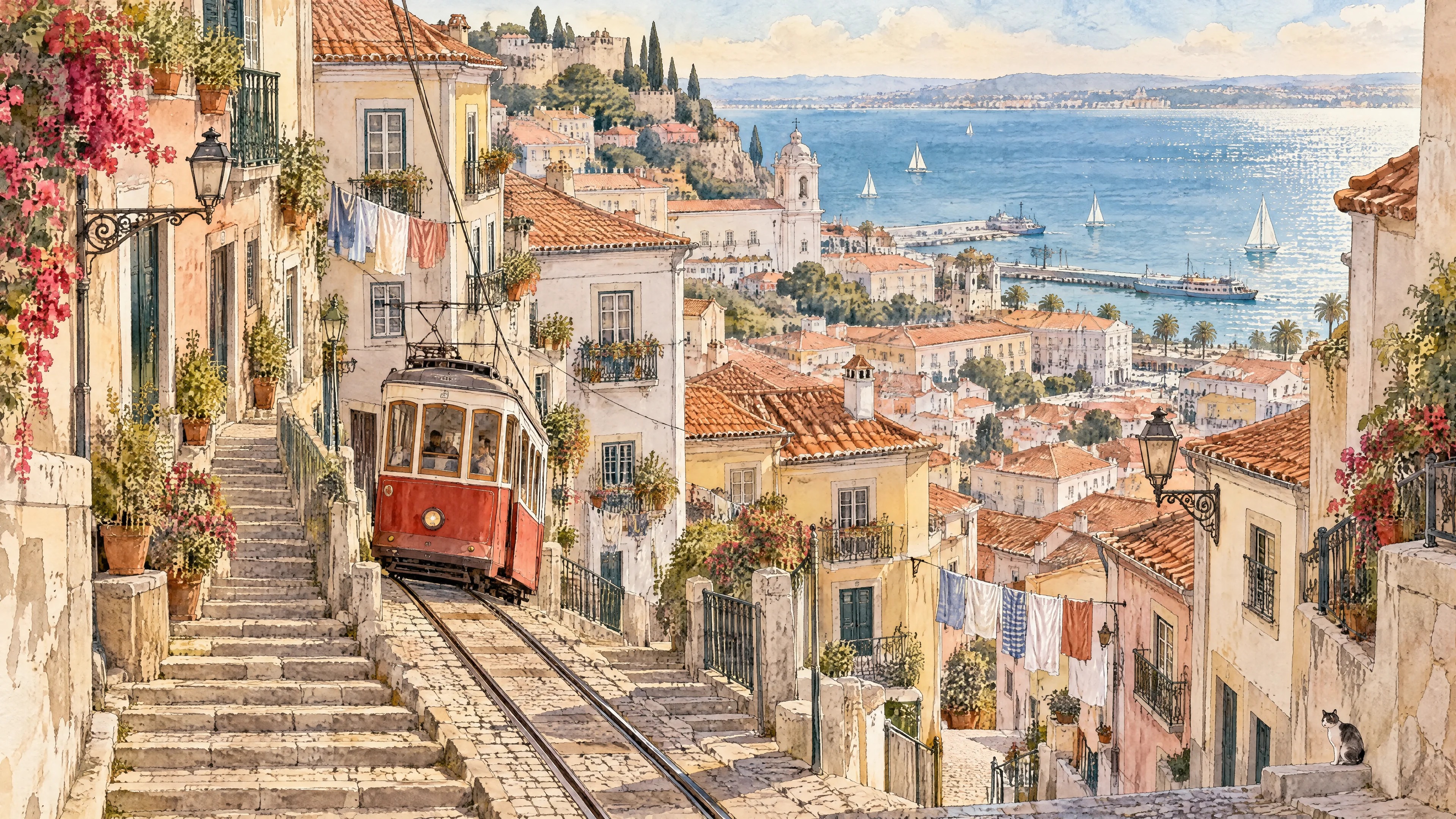
Native 4K, not enlarged. Below, the same area at 100%.
Verdict: both hold crisp detail at full size. Flare kept the tram central; Sunburst gave the town more room, 23 seconds later.
Try the illustration template with Flare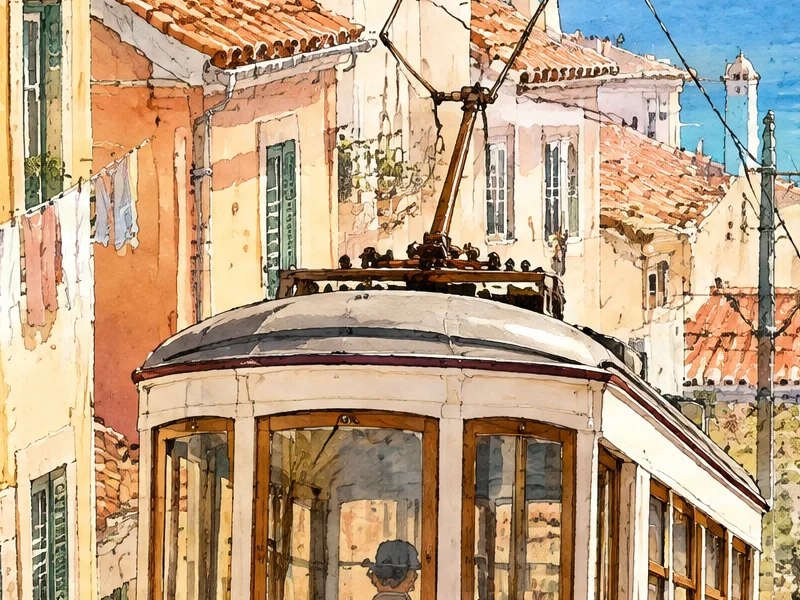
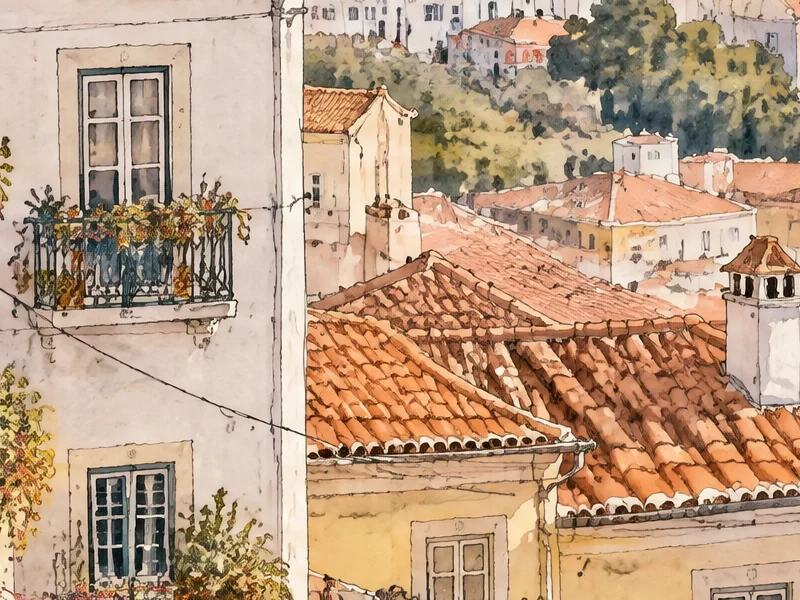
Create a travel illustration featuring a small red tram as the protagonist, climbing a hillside street in a seaside town.
Art style: Watercolor, linework: Delicate.
Colors: warm terracotta, sea blue and cream, background: complex scene with houses, laundry lines and the sea.
Composition: long shot, emphasizing the tram, the stairs and the tiny details of windows and balconies.
Output: A high-quality illustration suitable for a cover or social media post.
Flare to find the idea, Sunburst when it must be exactly right. You can switch for every message.
Editing your own photo? These pages start on Sunburst: remove a background · product photos · AI photo editor.
Tested on 24 October 2026 through Lightlyn’s own studio code and servers. Six prompts come from studio templates; tests 6 and 7 use what our task pages write. All 16 images succeeded first time: no retries, no picking, no retouching.
Standard size, about 1 megapixel; test 8 at 3840 × 2160. Times include the network. Difference maps compare each pixel with the original. Tests 6 and 7 start from photos we generated, not customer photos.
Both are OpenAI’s GPT Image 2.5. OpenAI’s documentation describes Flare as built for “fast, high-quality image generation” and Sunburst for “precise editing”. In our tests Flare was 1.2 to 2 times faster, while Sunburst left the unedited parts of a photo untouched and handled the most complex layout far better.
Neither, overall. For new images from a prompt, Flare matched Sunburst and was faster. For editing your own photo and for diagrams with strict rules, Sunburst was clearly better.
For short text we saw no difference: both spelled every title, label and claim correctly. Sunburst more often added small extras, such as taglines, so read the result before you publish.
Both kept our bottle and its label exact and returned a real transparent PNG; Flare took about half the time. Our background page starts on Sunburst; switch to Flare in the studio if you prefer speed.
With Sunburst, in our test, no: only the sofa and the throw draped over it changed. Flare redrew the whole scene with small shifts you notice when comparing.
On Lightlyn, yes. Credits depend only on the image size, not the model; see pricing. Failed generations are refunded.
New accounts get 30 free credits1 and 3 more with each daily check-in, enough to run the same prompt on both models several times.
Yes, natively, up to 3840 pixels on the long side. Our 3840 × 2160 test took 35 seconds with Flare and 58 with Sunburst.
Switch models in the same conversation and compare.
GPT Image 2.5, Flare and Sunburst are models by OpenAI. Lightlyn is an independent product, not affiliated with or endorsed by OpenAI. Quotes from OpenAI’s documentation as read on 24 October 2026.