 lightlyn
Animated GIFs
Nine frames at 0.2 seconds each, looping forever. Up to 1280 × 720 per frame. Start from a description or from a photo you upload, and keep editing in the same chat.
OpenAI released GPT Image 2.6 on 4 November, and it is live on Lightlyn Images now, in Flare and Sunburst. Describe a moving loop and get a GIF; describe a logo and get an SVG you can edit. Below: real results, and the same prompts on 2.6 and 2.5.
By Linger · Tested · Published
A short loop that plays forever, from a sentence or from your own photo.
Logos, icons and illustrations as clean shapes you can edit and scale.
New accounts get 30 free credits1. GPT Image 2.5 stays available.

Real GIFs, nine frames each. Not retouched.
Same two versions as before: Flare for speed, Sunburst for precision. You choose for every message.
Nine frames at 0.2 seconds each, looping forever. Up to 1280 × 720 per frame. Start from a description or from a photo you upload, and keep editing in the same chat.
Real vector files: paths, shapes and colors, no embedded pictures. Open them in Figma, Illustrator or Inkscape, or put them straight on a website.
In our five tests 2.6 Flare was the fastest model every time, 1.1 to 1.7 times faster than 2.5 Flare. 2.6 Sunburst was slower than 2.5 Sunburst on its second day.
Pick GPT Image 2.5 Flare or Sunburst in the same menu. For an edit where every untouched pixel matters, 2.5 Sunburst still did best in our test.
Choose GPT Image 2.6, open Advanced and pick GIF as the format, then say what moves.
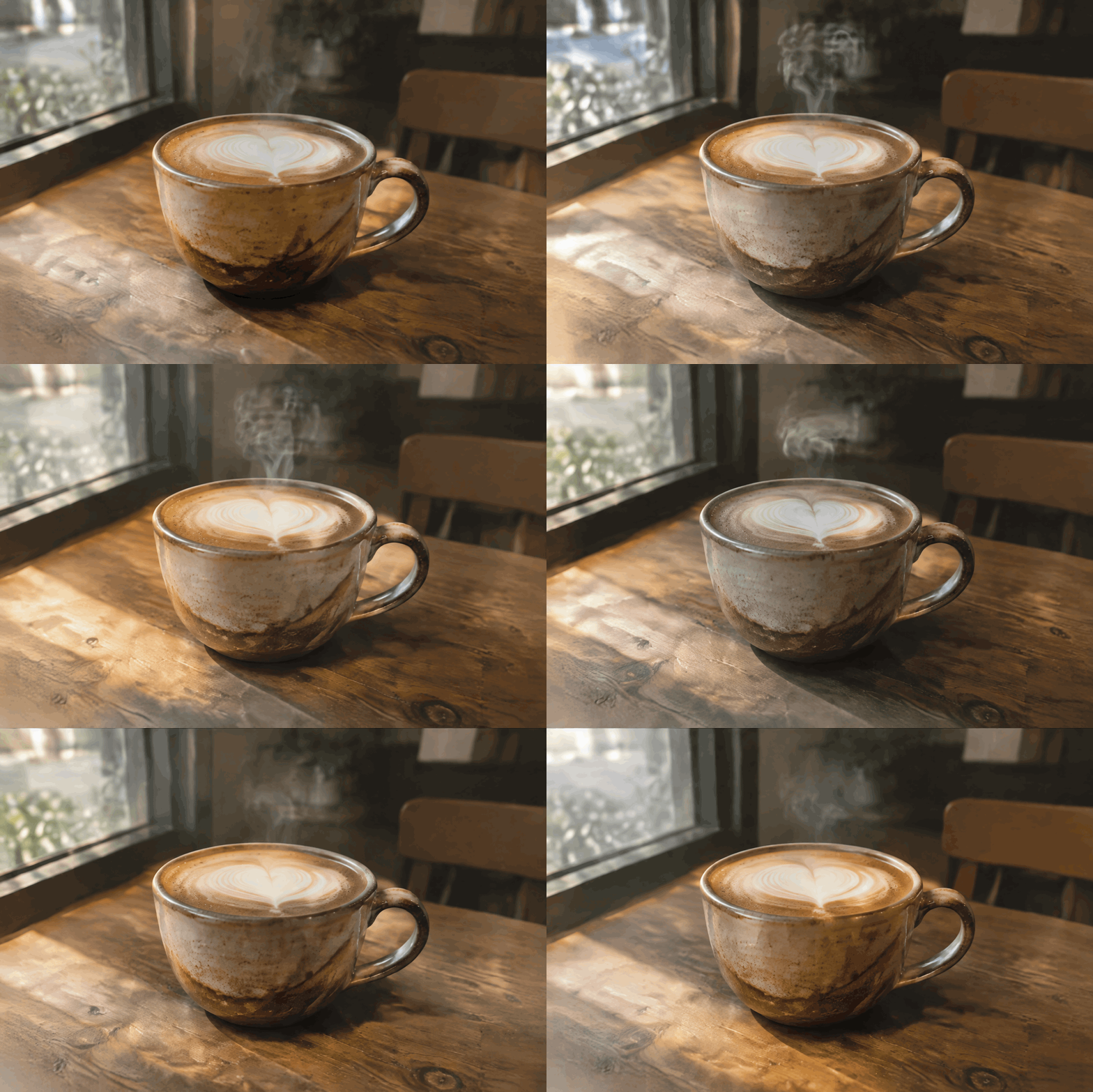
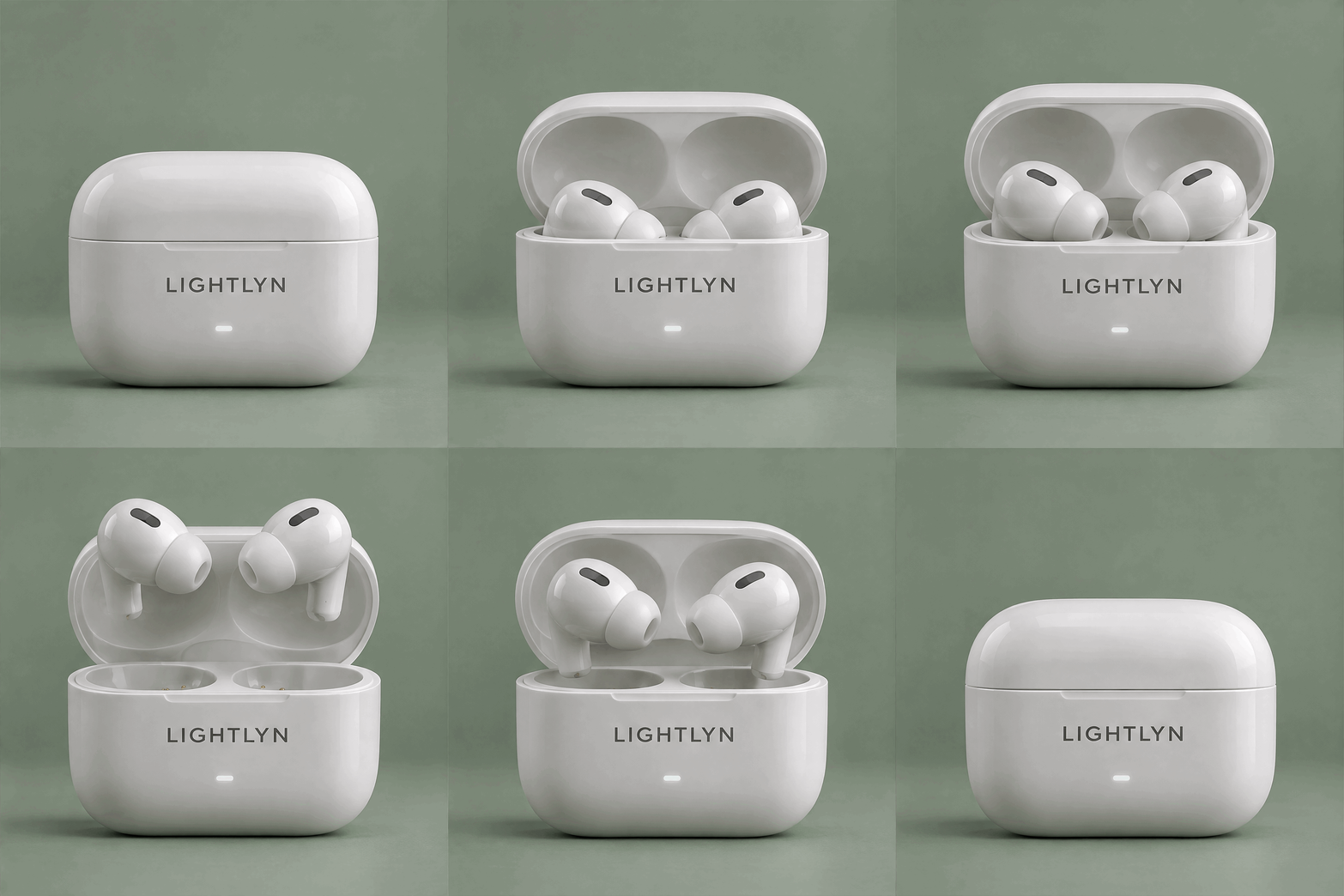
What we saw: the case, the earbuds and the LIGHTLYN label stayed the same in every frame, and each loop ends where it starts. From a photo, the cup and the table stayed put; only the steam and the light move.
Make a GIF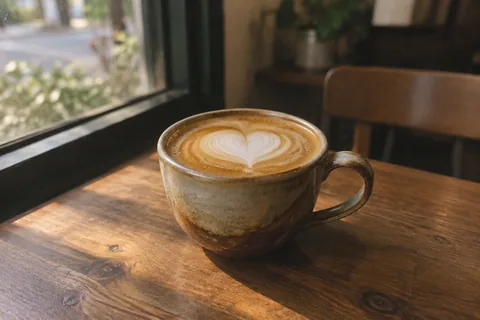

Mascot (2.6 Flare, 20.9 s): A cheerful round orange cat mascot with a tiny lantern, waving hello and blinking, soft flat illustration style, clean pastel background, gentle seamless loop.

Product (2.6 Sunburst, 38.6 s): A white wireless earbuds charging case labelled "LIGHTLYN" on a sage-green studio background: the lid opens, the two earbuds rise and float a little, then settle back and the lid closes. Clean product animation, seamless loop.

Photo (2.6 Flare, with the photo uploaded): Make this photo move: gentle steam rises and curls above the latte, soft light flickers slightly. Keep the cup, the table and the window exactly as they are. Seamless loop.
Download the originals: mascot GIF · product GIF (960 × 960 each).
Pick SVG as the format in Advanced. Only the ratio matters: a vector has no fixed pixel size.
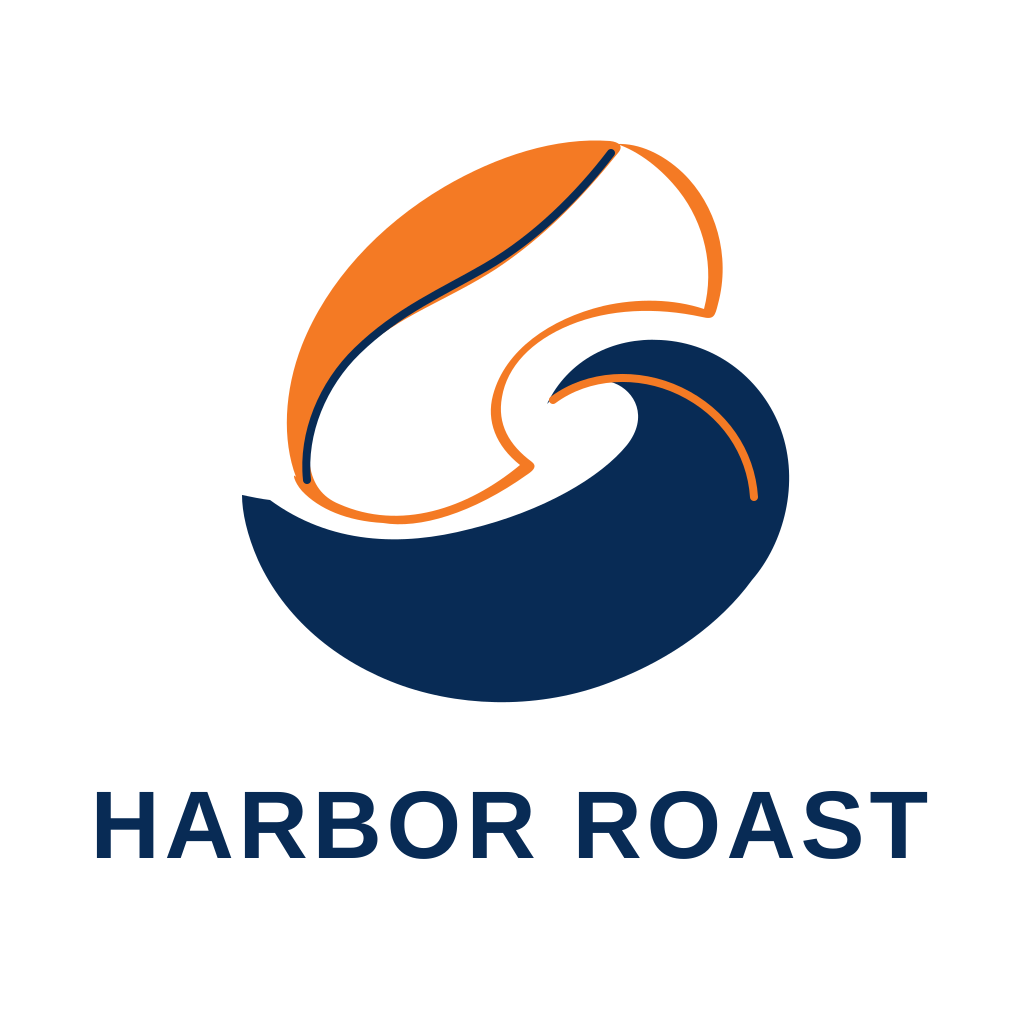
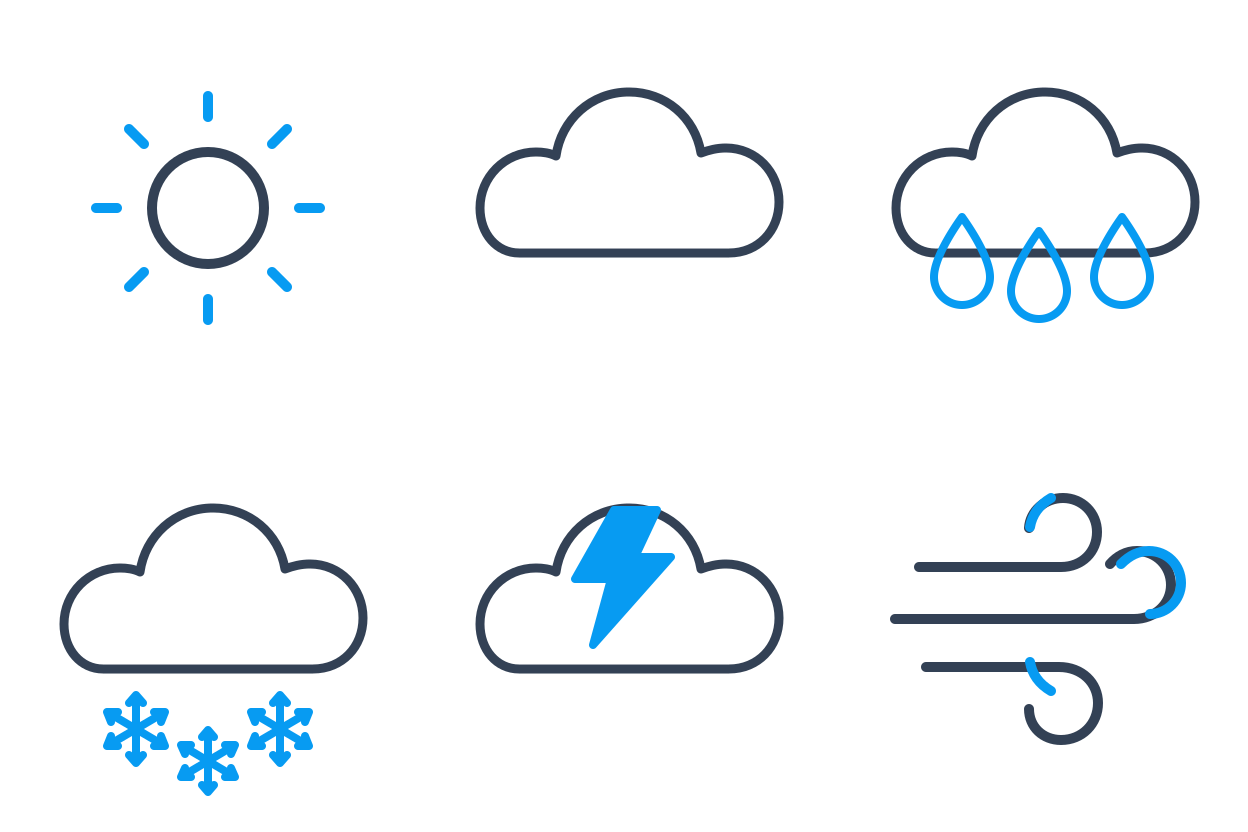
What we saw: clean, editable files of 2 to 13 KB. The logo spelled its name right, the six weather icons share one stroke width, and the photo became a flat illustration with the same cup and vase. SVGs take longer: 70 to 95 seconds.
Make an SVG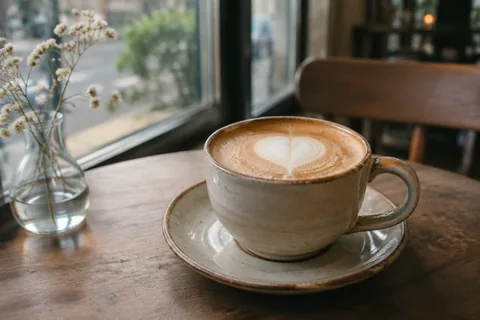

Logo: A logo for a small coffee roastery called "Harbor Roast": a simple coffee bean merged with a wave, the name in clean bold lettering below, two colours, deep navy and warm orange.

Icons: A set of six matching line icons for a weather app arranged in a 3 by 2 grid: sun, cloud, rain, snow, thunderstorm, wind. Consistent stroke width, rounded ends, one accent colour.

Photo (with the photo uploaded): Turn this photo into a clean flat vector illustration with a limited warm palette, keeping the cup, the latte art and the window.
The prompts from our 2.5 Flare vs Sunburst test, run again on all four models at the same moment. Times are how long each took to answer, as measured by our gateway.
| Test | Flare2.5 → 2.6 | Sunburst2.5 → 2.6 | What we saw |
|---|---|---|---|
| 1 · Realistic photoA short, simple prompt | 10.9 → 9.7 s | 15.5 → 18.1 s | All four convincing. |
| 2 · Event posterA title and a subtitle | 25.5 → 15.0 s | 40.0 → 48.2 s | Every word right in all four. |
| 3 · Product adBrand name and two claims | 17.7 → 11.8 s | 18.7 → 20.2 s | All exact; 2.6 sets the claims bigger and cleaner. |
| 4 · Scale diagramSeven levels, many rules | 25.9 → 18.6 s | 40.8 → 53.3 s | 2.6 Flare now follows the rules that tripped up 2.5 Flare. |
| 5 · Change one thingYour photo, sofa only | 24.0 → 17.0 s | 24.4 → 41.2 s | 2.5 Sunburst left the rest of the room most intact. |
One subject, a mood, a camera style.
Verdict: all four pass as real photos. 2.6 brings out the glaze and the wood grain a little more. Flare 2.6 was the quickest.
Try it with 2.6 Flare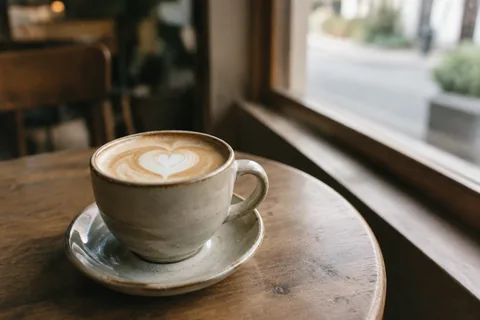
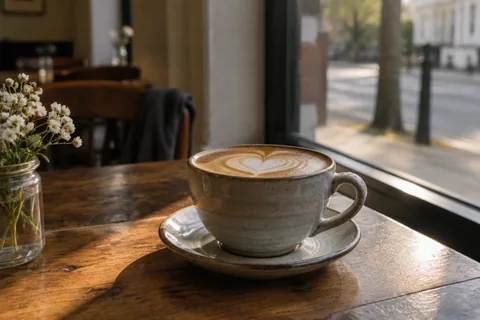
Subject: a ceramic cup of latte with simple heart latte art, set in a quiet neighborhood café by the window.
Photography style: 35mm, shallow depth of field, documentary style.
Lighting: natural light, mood: calm, early morning.
Detail requirements: ceramic glaze, milk foam texture, slight film grain.
Output: A highly realistic photographic image.
A title, plus a subtitle with a time and a place.
Verdict: every word right in all four. 2.6 Flare finished in 15 seconds instead of 25, with a tidier layout. Both Sunburst versions put the subtitle at the foot of the poster.
Try it with 2.6 Flare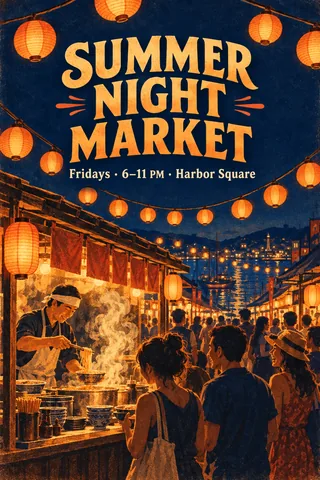
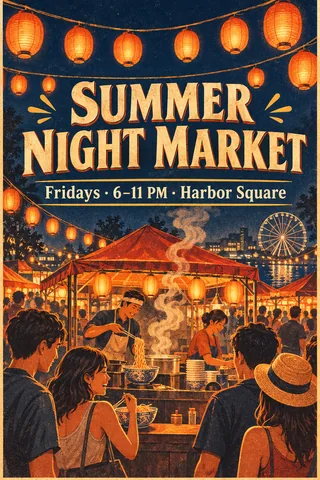
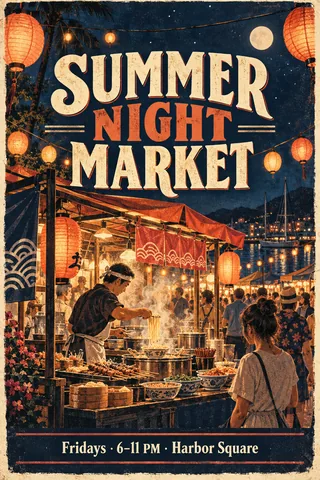
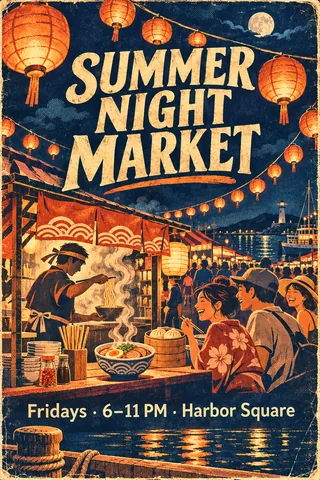
Design an event poster themed around a summer night market, paper lanterns and street food.
Main visual: strings of glowing paper lanterns over a busy noodle stall, title copy: "SUMMER NIGHT MARKET", subtitle: "Fridays · 6–11 PM · Harbor Square".
Layout: centered composition, style: vintage.
Colors: deep navy + warm orange, mood: lively, nostalgic.
Output: A high-resolution poster suitable for social media.
The brand on the case, two selling points with icons.
Verdict: every word exact in all four. Both 2.6 models set the two claims larger and cleaner, closer to a finished ad. For your own product, start from its photo: see product photos.
Try it with 2.6 Flare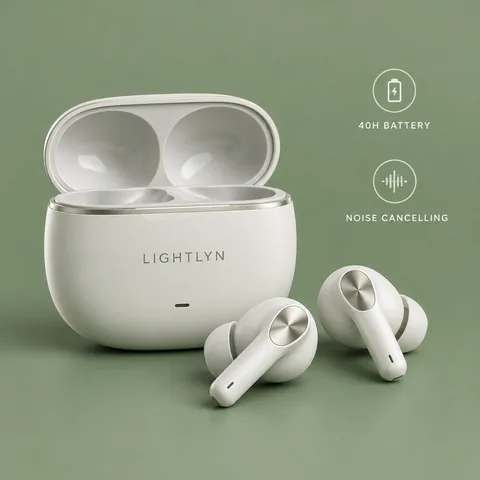
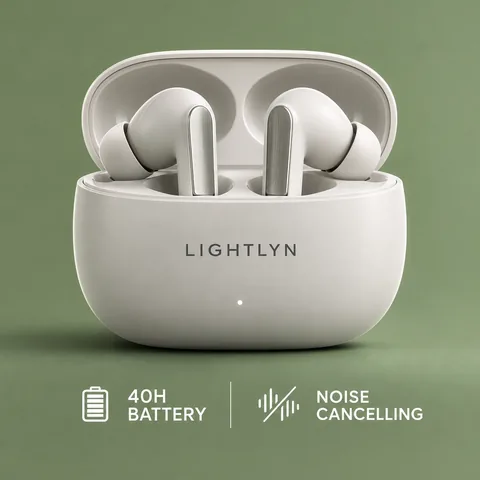
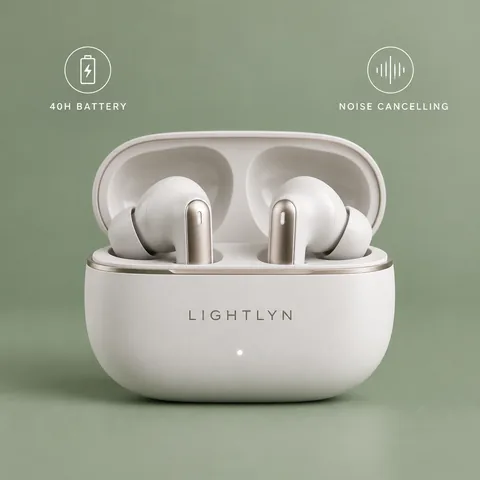
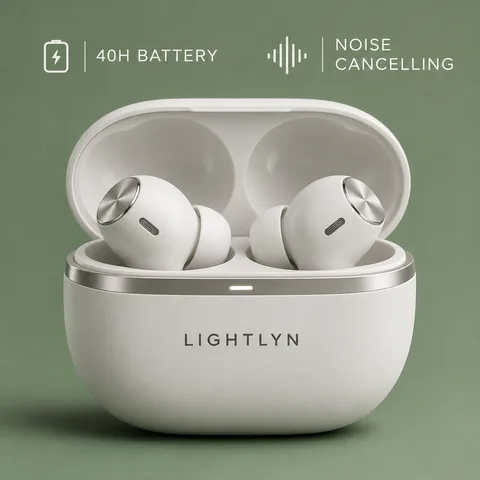
Generate a LIGHTLYN wireless earbuds e-commerce hero image, featuring a 40-hour battery and active noise cancelling.
Scene: studio shot on a solid sage-green background, shot: close-up.
Material details: matte white ceramic finish, brushed metal accents, lighting: rim lighting.
Additional elements: two selling-point icons with the copy "40H BATTERY" and "NOISE CANCELLING", and the word "LIGHTLYN" on the charging case.
Output: A product display image ready for direct use on e-commerce platforms.
Six to eight levels, frames of different sizes, a list of don’ts.
Verdict: the biggest step forward. 2.5 Flare again drew a strip of near-equal frames; 2.6 Flare drew growing frames from 1 nm to a 40,000-bee colony, in order, as both Sunburst versions did, and in 19 seconds instead of 41 to 53.
Try it with 2.6 Flare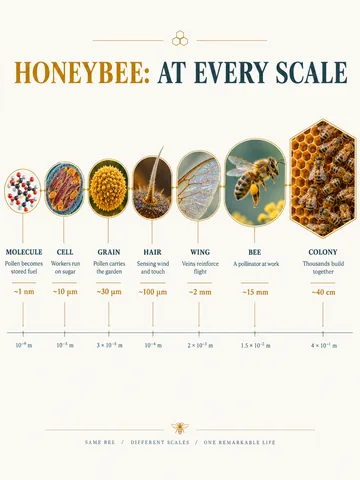
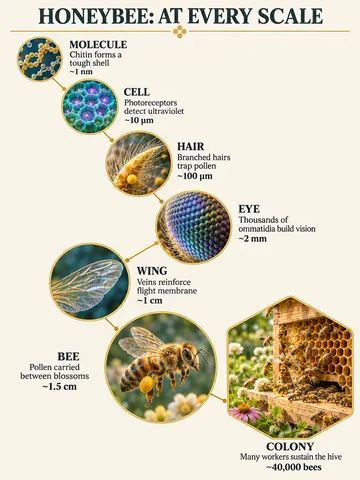
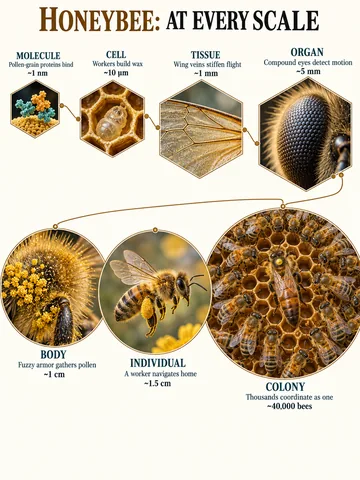
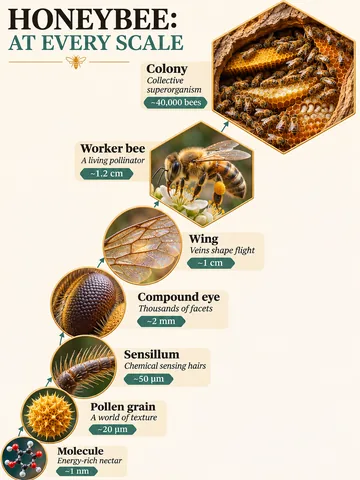
Generate a scientific scale-zoom infographic for the honeybee.
Structure: 6–8 circular or hexagonal frames arranged in a progression of scales from microscopic to macroscopic.
Each frame contains: a scale name, an insight of 3–5 words, a unit of measurement or magnification, and a highly detailed 3D rendering at that scale.
Connect the scales with thin lines and avoid repeating levels. Use the title "HONEYBEE: AT EVERY SCALE".
Style: scientific editorial infographic, precise macro lighting, clear hierarchy, short, readable text.
Constraints: no generic magnifying-glass icons, do not depict all scales at the same size, and do not cram in long paragraphs of body text.
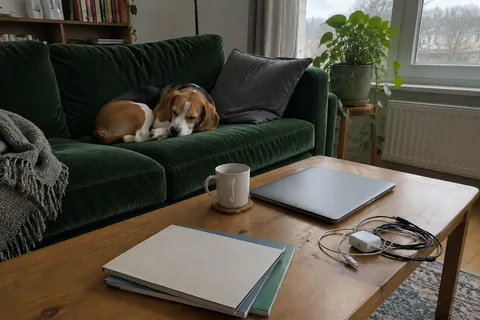
Recolor the sofa, nothing else.
Verdict: all four sofas look right, but 2.5 kept the rest of the room closer to the original. Outside the sofa, 2.6 Sunburst changed about 1.5 times as much as 2.5 Sunburst, and 2.6 Flare about twice as much as 2.5 Flare. For edits like this, use 2.5 Sunburst; our photo pages still start on it.
Edit a photo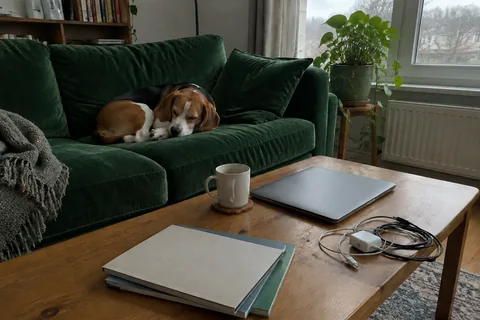
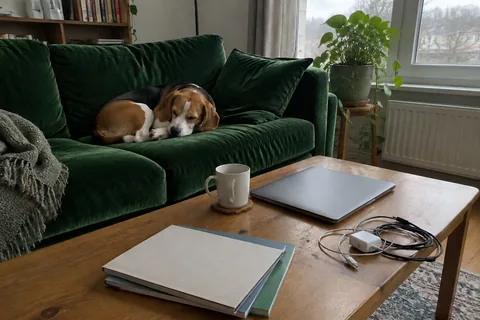
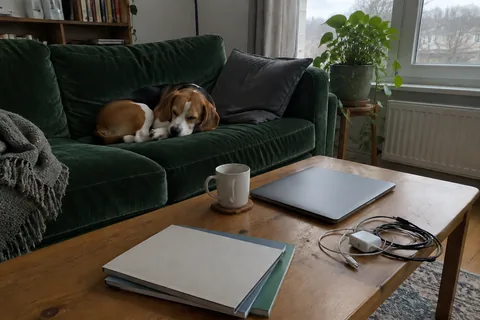
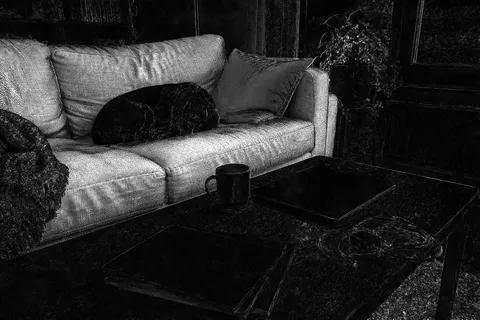
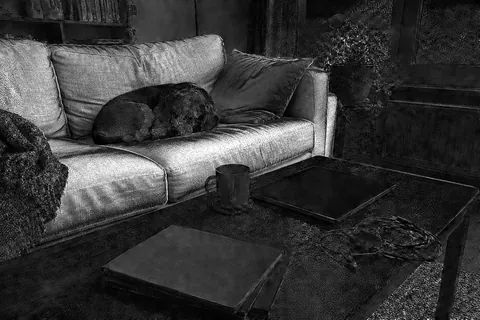
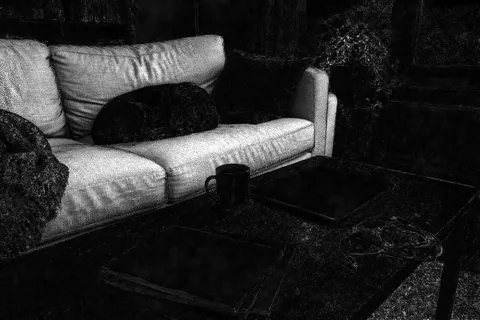
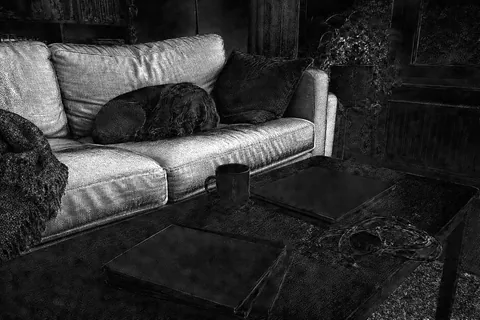
Black is unchanged; the brighter, the more a pixel moved from the original photo.
Change only the sofa to dark green velvet. Keep everything else in the photo unchanged.
All four are in the model menu, and you can switch for every message.
Tested on 5 November 2026, the day after release, through Lightlyn’s own request code. For each test the four models started at the same moment. All 26 results succeeded first time: no retries, no picking, no retouching.
Standard size, about 1 megapixel; GIFs at 960 × 960 and 1152 × 768 per frame. Times run from sending the request to the answer starting to arrive, measured by our gateway, so download time is left out. Speeds on day two may not last.
Animated GIF output, SVG vector output, and in our tests a noticeably faster and more rule-following Flare. Like 2.5, it comes in two versions: Flare and Sunburst.
In the studio, choose GPT Image 2.6, open Advanced and pick GIF or SVG as the format, then describe what you want. Writing “make a GIF” alone is not enough: without the format you get a still image.
Nine frames at 0.2 seconds, so about 1.8 seconds, looping forever. Frames are made at the largest size, about 920,000 pixels: 1280 × 720 at 16:9, 1088 × 816 at 4:3, 960 × 960 at 1:1.
Yes. Upload it, choose Animated GIF under Advanced and describe the motion. In our test the cup and table stayed as they were and only the steam moved.
Yes. They are plain vector drawings with paths and colors, no embedded pictures or scripts, so any vector editor opens them. Results are simplified, flat designs rather than photos.
For new images, 2.6 Flare matched or beat 2.5 in every test and was faster. For editing your own photo, 2.5 Sunburst left the rest of the picture more intact, so we keep both.
Quality sets how fine the detail is: High or Max gives more detail and takes a little longer. Complexity, on 2.6 only, sets how carefully the composition is planned: turn it up for busy scenes, careful layouts, charts or comics. Both start on Auto.
Still images cost the same on 2.6 and 2.5: 1 to 4 credits by size. An SVG costs 2 credits, a GIF 8. High or Max quality in Advanced multiplies the credits by 2 or 4 (starter pack or subscription required). Failed generations are refunded. See pricing.
New accounts get 30 free credits1 and 3 more with each daily check-in, enough for several GIFs and SVGs.
Pick GPT Image 2.6, choose the format under Advanced, and describe it.
GPT Image 2.6, GPT Image 2.5, Flare and Sunburst are models by OpenAI. Lightlyn is an independent product, not affiliated with or endorsed by OpenAI.